Your repertoire, your way
Gather your songs into albums, add their authors, and prepare a repertoire for each occasion.
Windows
Prepare your repertoire on your PC and show lyrics on a second screen or projector.
Available in Spanish, English and Korean.
Install from Microsoft Store
Gather your songs into albums, add their authors, and prepare a repertoire for each occasion.
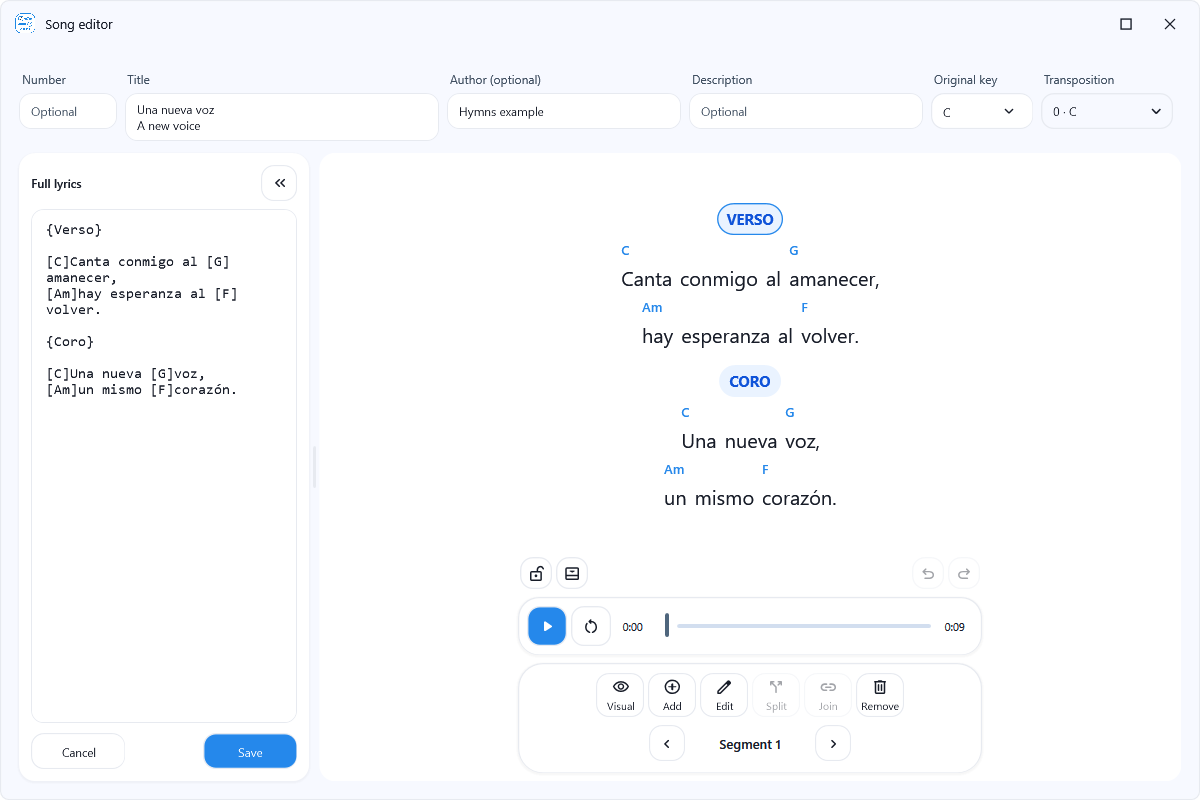
Arrange lyrics into sections, adjust their size and spacing, and transpose chords for comfortable rehearsals.
Choose colors and backgrounds that make the lyrics easy to read, save your themes, and use them for each presentation.
Use Hymns without an account. To take your songs from your phone to your PC, sign in with the same account on both devices and choose which albums to sync.
After editing an album, you can upload your changes to the cloud. If the cloud copy has changed, you can bring it to this device or keep using the copy you already have.
Up to 20 albums and 250 songs in the cloud.
Up to 100 albums and 10,000 songs in the cloud.
Your song allowance is the total for your account, shared between Android and Windows. You can keep creating songs on your device without syncing them.
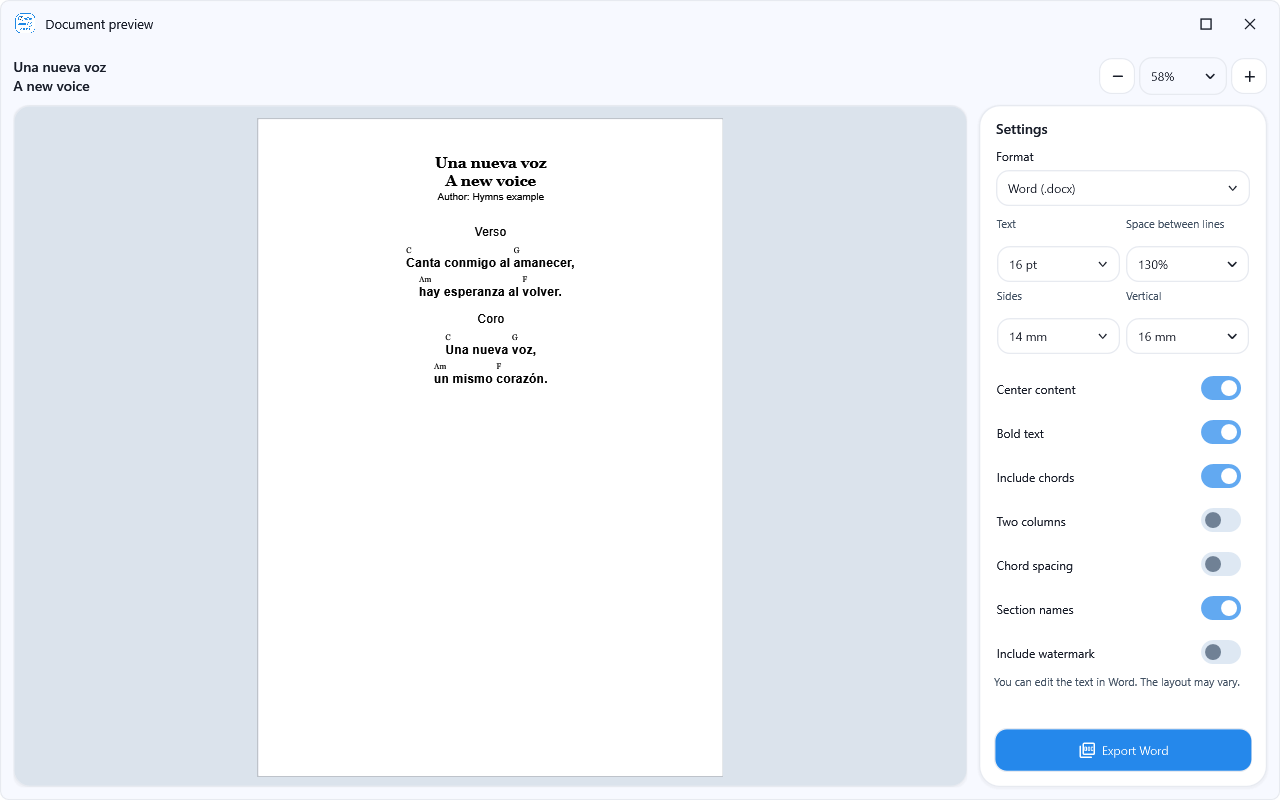
With Premium, prepare your songs to print as a PDF or edit in Word. Adjust the text size, margins, line spacing, and the gap between chords and lyrics. Preview the page before saving.
Include lyrics, chords, and authors to share with your group or bring to rehearsal. The layout may vary when opened in another program.
Copy songs or albums to prepare another repertoire without changing the original, keeping their authors along with them.
You can also import and export albums to move them to another computer. If you already have that album, choose to update it or keep another copy; updating leaves the previous version in Trash.
Hymns is now available on Microsoft Store. Install it from the Store and get future updates there.
Microsoft Store updates are published separately from direct downloads.
Install from Microsoft StoreIf you prefer to use it without installing, choose the ZIP. An installer is also available.
Direct download: Hymns 0.7.181.
Extract all files into one folder and open Hymns.
Size: 1.41 MB
Download ZIPFollow the installer steps. You will then find Hymns in the Start menu.
Size: 3.14 MB
Download installerFile for checking your downloads
Windows may show a security notice when you open these direct downloads.
Prepare lyrics and review documents with an example repertoire.
You need 64-bit Windows 10 or 11. The installer will let you know if your computer needs an additional Microsoft component.
Available in Spanish, English and Korean. Choose a language in Settings or use your system language.
You can update or uninstall Hymns without losing the songs and settings saved on this computer.
You can also move your songs to another computer using Export and Import. Copying the application ZIP does not include your songs.